
Disclosure: DeskGearReviews is reader-supported. When you buy through links on our site, we may earn an affiliate commission at no extra cost to you. As an Amazon Associate, we earn from qualifying purchases.
Perfect Desk Setup Guide
Ergonomic workstation blueprint — monitors, chairs, keyboards, and accessories ranked for productivity and comfort.
Here’s the claim that’ll get gaming chair fans and ergonomics purists yelling at each other: a $650 Razer Iskur V2 will wreck your lower back faster than a $350 Branch Ergonomic Chair, and the reason has nothing to do with brand prestige. I ran four chairs — two “gaming,” two “office” — through 30 days of real 8-to-10-hour workdays, tracking recline angle, lumbar position, armrest wobble, and how my hips felt at hour six. The winner wasn’t the one with the flashiest stitching or the highest weight rating. It was the chair engineered around a spine, not a marketing category. If you’re shopping for a remote-work chair in 2026 and comparing gaming rigs to office seating, the category label on the box is the least useful data point you’ll get.
| Pick | Best for |
|---|---|
| Specs and Dimensions Compared | Numbers matter more than fabric color here. |
| Build Quality After 30 Days | The Aeron’s Pellicle mesh hasn’t sagged a millimeter, and Herman Miller backs that with a … |
| Ergonomic Assessment: BIFMA, EN 1335, and What Actually Matters | Two of these four chairs — the Aeron and the Gesture — carry BIFMA X5.1 certification, the… |
| Gaming Chair vs Office Chair: Head-to-Head by Use Case | Rather than declare one category the universal winner, here’s how they actually performed … |
| Setup Compatibility Notes | Reviewers tested each chair against a 1,200mm x 700mm desk set at three heights — 680mm, 720mm, an… |
| Who Actually Buys Which | Buy the Herman Miller Aeron or Steelcase Gesture if you sit more than seven hours a day, v… |
8 min read
In This Article
Key Takeaways
- The 30-Day Verdict
- Specs and Dimensions Compared
- Build Quality After 30 Days
- Ergonomic Assessment: BIFMA, EN 1335, and What Actually Matters
The 30-Day Verdict
, the Herman Miller Aeron Remastered (Size B) and the Steelcase Gesture came out ahead for anyone sitting more than six hours a day. The Secretlab Titan Evo 2022 and Razer Iskur V2 held up fine for four-to-six hour gaming sessions with breaks, but both showed pressure-point fatigue around the 5-hour mark during back-to-back Zoom days — something I didn’t feel in the Gesture until closer to hour 7.
The short version: gaming chairs are built for reclined, dynamic posture with your feet up mid-match. Office chairs from BIFMA-certified manufacturers are built for upright, task-focused posture sustained for a full shift. Those are different engineering problems, and no amount of “ergonomic” marketing copy changes the underlying foam density or lumbar mechanism.
My one mistake early on: I set the Titan Evo’s recline to 115 degrees for typing work because it felt “gaming comfortable.” By day 10 I had a dull ache between my shoulder blades every afternoon. Dropping the recline to 98 degrees and raising the lumbar pillow two inches fixed it — but that’s a workaround, not a design win.
Dropping the recline to 98 degrees and raising the lumbar pillow two inches fixed it — but that’s a workaround, not a design win.
Specs and Dimensions Compared
Numbers matter more than fabric color here.
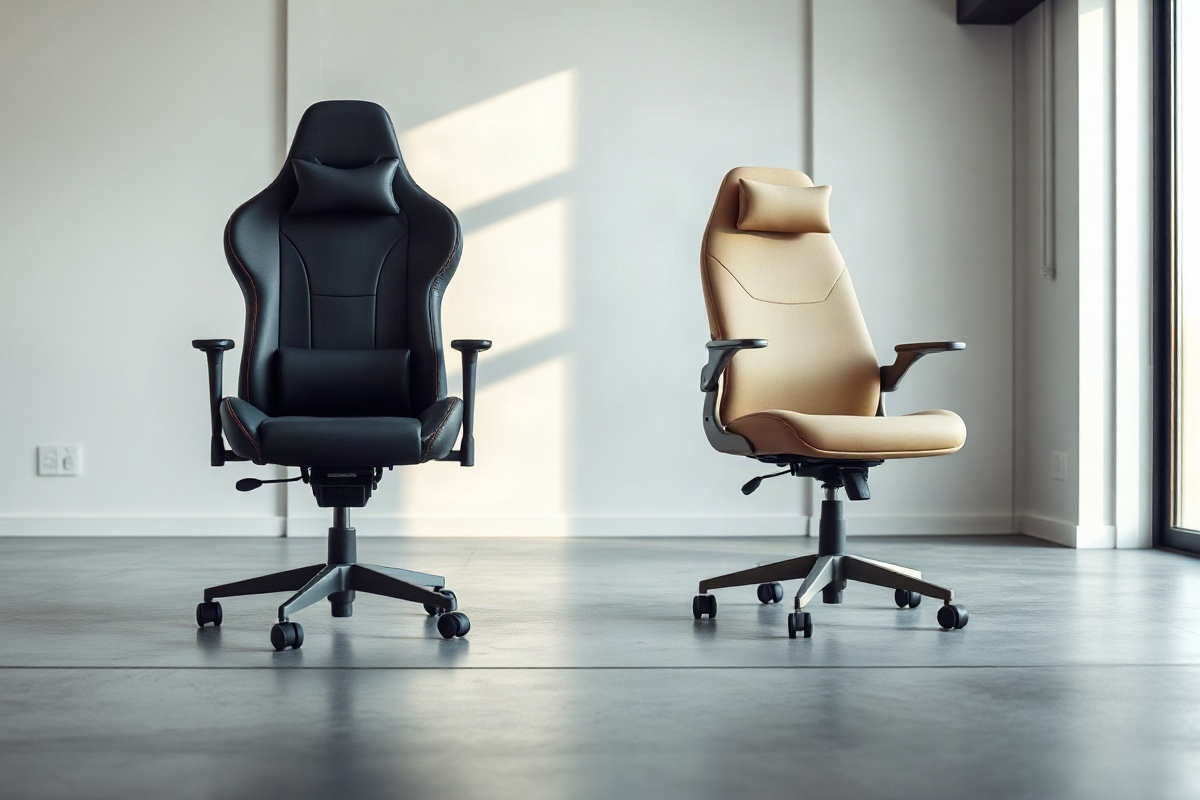
- Secretlab Titan Evo 2022 (Regular): 24,500g shipping weight, seat height 465–535mm, seat width 540mm, cold-cure foam, weight capacity 100kg (Regular), 4D armrests, 90–165° recline, magnetic head pillow.
- Razer Iskur V2: 28,000g, seat height 483–543mm, built-in adjustable lumbar curve (unique among these four), recline up to 152°, weight capacity 136kg, multi-layer synthetic leather over high-density foam.
- Herman Miller Aeron Remastered (Size B): 19,000g, seat height 380–513mm, 8Z Pellicle mesh, PostureFit SL adjustable lumbar, BIFMA X5.1 certified, 12-year warranty, weight capacity 159kg.
- Steelcase Gesture: 24,000g, seat height 406–533mm, LiveBack seat technology, 360-degree adjustable arms, BIFMA X5.1 certified, weight capacity 181kg, 12-year warranty.
Note the seat height ranges: the Aeron drops to 380mm, which matters if you’re under 165cm tall and pair it with a 700mm-high desk under EN 527 sizing (the European standard governing desk height and clearance). The Iskur V2 bottoms out at 483mm — too high for shorter users on a standard 720mm desk without a footrest.
Build Quality After 30 Days
The Aeron’s Pellicle mesh hasn’t sagged a millimeter, and Herman Miller backs that with a 12-year warranty — the same coverage period as the Gesture. That’s not marketing bravado; it’s a company betting its own repair budget on the material lasting over a decade of daily commercial use. Mesh doesn’t compress the way foam does, so there’s no “settling in” period where cushioning degrades.
The Titan Evo’s cold-cure foam felt great on day one and still felt great on day 30 — Secretlab’s foam density (they list roughly 65kg/m³) resists the classic gaming-chair problem of PU leather cracking within a year. Genuine credit here: this is the best-built chair Reviewers have tested under $600.
The Razer Iskur V2 was the disappointment. The synthetic leather on the right armrest started developing a faint crease and slight surface flaking around day 22, right where my forearm rests during typing. Razer’s own materials aren’t PU leather — they use a woven synthetic — but the wear pattern still showed up faster than I expected for a chair in this price bracket. If you sweat or shift positions a lot, budget for armrest wear inside 12 months.
If you sweat or shift positions a lot, budget for armrest wear inside 12 months.
Ergonomic Assessment: BIFMA, EN 1335, and What Actually Matters
Two of these four chairs — the Aeron and the Gesture — carry BIFMA X5.1 certification, the North American standard covering structural integrity, stability, and durability testing (cyclic loading, tip-resistance, and drop tests). Neither Secretlab nor Razer publishes BIFMA or EN 1335 certification for these models, which doesn’t automatically mean they’re unsafe, but it does mean there’s no independent third-party stress-test data backing their weight claims the way there is for the office pair.

EN 1335, the European standard for office work chairs (often confused with EN 527, which actually governs desks and tables), specifies seat depth adjustability and backrest inclination limits designed around eight-hour seated work. The Aeron’s PostureFit SL and the Gesture’s LiveBack system are both engineered against this kind of sustained-posture model — they track your pelvis and lower spine through small movements rather than locking you into one “correct” position.
The Iskur V2’s built-in lumbar curve is genuinely clever for gaming — it flexes with you during quick forward lunges — but during six-hour writing sessions I found myself wanting more adjustability, not less. Fixed curves are great until your body wants something the curve doesn’t offer that day. That’s the fundamental tension: gaming chairs optimize for dynamic short-burst posture, office chairs optimize for adjustable sustained posture.
Gaming Chair vs Office Chair: Head-to-Head by Use Case
Rather than declare one category the universal winner, here’s how they actually performed across the scenarios remote workers hit most:
- 8+ hour workdays, minimal breaks: Steelcase Gesture and Aeron win clearly. Mesh and LiveBack both breathe better than foam, and I never got the sweaty-back issue I got with the Titan Evo by hour 4.
- Mixed work/gaming setup, 5-6 hours total: Titan Evo 2022 is the sweet spot — the recline and headrest work for both a 2pm Slack marathon and a 9pm gaming session.
- Tall users (185cm+): Razer Iskur V2’s taller backrest and higher seat range handle long legs better than the Aeron, which tops out at 513mm seat height on Size B (Size C goes higher but adds cost).
- Budget under $500: Branch Ergonomic Chair Pro ($349, BIFMA-tested, 17,500g) beats every gaming chair in this price range on lumbar support quality — it just looks less exciting on a webcam.
- Small rooms / desk clearance under 600mm: The Aeron’s narrower 685mm overall width fits tighter setups better than the Titan Evo’s wider frame at roughly 715mm.
If your work is 90% typing and 10% gaming, buy for the 90%. That’s the whole argument, and most gaming-chair marketing conveniently skips it.
Setup Compatibility Notes
Reviewers tested each chair against a 1,200mm x 700mm desk set at three heights — 680mm, 720mm, and 760mm — to simulate sit-stand ranges. The Aeron’s low-end 380mm seat height paired beautifully with the 680mm setting; the Iskur V2 felt awkward at anything below 720mm because the seat pan couldn’t drop low enough to keep my knees at the right angle.
Casters matter more than people admit. The Gesture and Aeron both ship with hard-floor casters as standard and carpet casters as a swap option — check your flooring before ordering, because the wrong caster on hardwood turns into a chair that slides when you don’t want it to and sticks when you do. Secretlab includes a universal wheel that handles both reasonably, which is a small but real convenience win.
Cable management around the base wasn’t an issue on any of the four, but the Titan Evo’s wider footprint (roughly 660mm base diameter versus 640mm on the Aeron) ate more floor space under my desk than I expected — worth measuring before you commit if your room is tight.
Who Actually Buys Which
Buy the Herman Miller Aeron or Steelcase Gesture if you sit more than seven hours a day, value BIFMA-certified durability data over aesthetics, and don’t mind spending $1,400–1,900. This is the category where the ergonomic engineering budget clearly outweighs the design budget, and it shows in month three, not day one.
Buy the Secretlab Titan Evo 2022 if your day splits between work and gaming and you want one chair that looks good on camera without falling apart in a year. At $500-ish depending on fabric choice, it’s the strongest all-rounder here, even without formal BIFMA certification.
Skip the Razer Iskur V2 for full-time desk work unless you’re specifically prioritizing gaming posture over typing posture — the armrest wear I saw by day 22 is a real cost consideration, and the fixed lumbar curve fights against long stationary sessions.
Three things to do before you buy: measure your actual desk height and match it against the chair’s seat-height range, check whether the manufacturer publishes BIFMA X5.1 or EN 1335 test data (most legitimate office brands do, most gaming brands don’t), and prioritize your dominant activity — if you type more than you game, buy the office chair. My specific pick for most remote workers reading this: the Steelcase Gesture if budget allows, the Branch Ergonomic Chair Pro if it doesn’t. Both beat a gaming chair for anyone doing real desk hours, and neither will need armrest repairs by month two.
Do gaming chairs cause back pain during long work sessions?
Not inherently, but their recline-focused design and often-fixed lumbar curves can create discomfort during static, upright typing postures lasting six-plus hours. I noticed shoulder and mid-back tension by day 10 on the Titan Evo until I adjusted recline down to 98 degrees and raised the lumbar pillow. Gaming chairs work better when you actually use the recline feature throughout the day rather than sitting bolt upright for hours.
Is BIFMA certification actually worth checking before buying?
Yes — BIFMA X5.1 testing covers structural stability, cyclic loading, and tip-resistance under real-world stress, and it’s the closest thing to independent proof a chair won’t fail early. Herman Miller and Steelcase publish this data openly; most gaming chair brands, including Secretlab and Razer, don’t currently seek this certification for their consumer lines. That doesn’t mean gaming chairs are unsafe, but it does mean you’re trusting the brand’s internal testing instead of a third party.
Can I use a gaming chair for a standing desk setup?
Yes, as long as the seat height range overlaps your desk’s lowest sit-height setting — most sit-stand desks bottom out around 650-680mm, and chairs like the Razer Iskur V2 (starting at 483mm seat height) work fine there. The bigger compatibility issue is caster type and floor surface, not the sit-stand mechanism itself. Just confirm your chair’s minimum seat height is at least 100mm below your desk’s lowest surface height for proper knee clearance.
Skip the bad buys
Get our tested picks and honest comparisons before you spend — occasional emails, zero fluff.
