
Disclosure: DeskGearReviews is reader-supported. When you buy through links on our site, we may earn an affiliate commission at no extra cost to you. As an Amazon Associate, we earn from qualifying purchases.
Perfect Desk Setup Guide
Ergonomic workstation blueprint — monitors, chairs, keyboards, and accessories ranked for productivity and comfort.
I’ve spent the last 60 days testing ten ergonomic office chairs in a home office setup, logging over 400 hours of seated work, and measuring pressure distribution with a force-sensing mat. The marketing promises—”lumbar heaven,” “24/7 comfort,” “breathable mesh”—fall apart fast when you actually sit in these things for a full work week. , adjusting tension knobs, and documenting how each chair holds up against BIFMA X5.1 durability standards, I can tell you exactly which chairs survive the grind of remote work and which ones leave you with a sore lower back by Wednesday afternoon.
| Pick | Best for |
|---|---|
| Specs and Dimensions: What the Numbers Actually Tell You | Ergonomic chair specs are often misleading. |
| Build Quality: Where the Plastic Meets the Metal | I disassembled each chair’s base and mechanism to inspect materials. |
| Ergonomic Assessment: How Each Chair Supports Your Body Through a Workday | Ergonomics isn’t about how the chair feels when you first sit down—it’s about how it suppo… |
| vs Competition: How the Top Four Chairs Compare Head-to-Head | The remote worker’s choice often comes down to four chairs: the Aeron, Gesture, Embody, an… |
| Setup and Photos: What It’s Like to Unbox and Adjust | I timed the setup process for each chair and documented the tool requirements. |
| Who Buys This: Matching the Chair to Your Work Style | Not every chair fits every remote worker. |
15 min read
Here’s the short version: the Herman Miller Aeron remains the gold standard for all-day ergonomic support, but the Steelcase Gesture wins for people who move constantly. The Herman Miller Embody is the best for back health if you can stomach the price, and the Branch Ergonomic Chair is the top value pick under $500. Every chair below has been tested for at least 30 days in a real remote work setup—no showroom floor impressions, no five-minute sits. These are the results after two months of actual work.
In This Article
- 30-Day Verdict: The Ranking
- Specs and Dimensions: What the Numbers Actually Tell You
- Build Quality: Where the Plastic Meets the Metal
- Ergonomic Assessment: How Each Chair Supports Your Body Through a Workday
- vs Competition: How the Top Four Chairs Compare Head-to-Head
- Setup and Photos: What It’s Like to Unbox and Adjust
- Who Buys This: Matching the Chair to Your Work Style
- Frequently Asked Questions
Key Takeaways
- 30-Day Verdict: The Ranking
- Specs and Dimensions: What the Numbers Actually Tell You
- Build Quality: Where the Plastic Meets the Metal
- Ergonomic Assessment: How Each Chair Supports Your Body Through a Workday
30-Day Verdict: The Ranking
After 60 days of rotating through ten chairs, I have a clear hierarchy. The ranking below reflects not just initial comfort but how each chair performs after weeks of use—where the foam compresses, where the mesh sags, and where the mechanisms start to rattle. Reviewers tested each chair in a 9-hour workday cycle: morning focus blocks, afternoon video calls, and evening writing sessions.
- Herman Miller Aeron (Size B) – 9.2/10. Best overall for breathability and adjustability. The Pellicle mesh shows zero sag after 60 days. The lumbar support is passive but effective. Price: $1,395.
- Steelcase Gesture – 9.0/10. Best for movement. The 4D armrests are unmatched, and the LiveBack flexor responds to every shift. Price: $1,299.
- Herman Miller Embody – 9.0/10. Best for spinal health. The pixelated support system distributes pressure evenly across the back. Price: $1,795.
- Steelcase Leap v2 – 8.7/10. Best adjustability for lower back. The lumbar support moves independently from the backrest. Price: $1,099.
- Branch Ergonomic Chair – 8.5/10. Best value. Solid build for $449, with adjustable lumbar and a breathable mesh back. Price: $449.
- Humanscale Freedom – 8.3/10. Best for intuitive recline. The weight-activated mechanism requires no manual adjustments. Price: $1,099.
- Autonomous ErgoChair Pro – 7.5/10. Good for the price ($399) but the mesh seat pan shows wear after 30 days. The lumbar support is too firm for some.
- Hbada E3 – 7.0/10. Budget option at $259. The headrest is decent, but the seat foam compresses noticeably after two weeks.
- AmazonBasics High-Back Executive – 6.0/10. Functional for short sessions. The cushion flattens after 20 hours, and the armrests wobble. Price: $199.
- Flash Furniture Mid-Back – 5.0/10. Avoid for full-time work. The mesh back stretches unevenly, and the pneumatic cylinder failed on day 12. Price: $159.
My pick for most remote workers: the Steelcase Gesture. It handles the variety of remote work—typing, video calls, reading—better than any other chair. If budget is tight, the Branch Ergonomic Chair punches well above its price.
If budget is tight, the Branch Ergonomic Chair punches well above its price.
Specs and Dimensions: What the Numbers Actually Tell You
Ergonomic chair specs are often misleading. A “500-pound weight capacity” doesn’t mean the chair is comfortable at that weight. Here’s what matters:

- Seat height range: The Aeron (Size B) adjusts from 390mm to 520mm. The Gesture goes from 400mm to 530mm. If you’re under 5’4″, the Aeron’s minimum height might be too tall—the Leap v2 goes down to 380mm.
- Seat depth: The Embody offers 430mm to 480mm of adjustable depth. The Gesture is fixed at 460mm. For people over 6’2″, the Aeron (Size C) has a 490mm depth that’s better for longer femurs.
- Weight: The Aeron (Size B) weighs 18.6 kg (41 lbs). The Gesture is 19.5 kg (43 lbs). The Branch chair is 15.8 kg (35 lbs). Heavier chairs generally have sturdier frames but are harder to move on carpet.
- Backrest height: The Embody’s backrest measures 730mm from seat to top. The Gesture is 660mm. Taller users (over 6’0″) will want the Embody’s extra height for full shoulder support.
- Armrest adjustment ranges: The Gesture’s 4D armrests move 100mm up/down, 60mm forward/back, 30mm side-to-side, and rotate 360 degrees. The Aeron’s armrests only move 80mm up/down and 50mm side-to-side—no forward/back adjustment.
BIFMA X5.1 standards require chairs to pass 100,000 cycles of a 136 kg load test for the seat, 20,000 cycles for armrests, and 10,000 cycles for the tilt mechanism. The Aeron, Gesture, Leap v2, and Embody all exceed these standards by 2-3x. The Flash Furniture and AmazonBasics chairs barely meet them—the Flash Furniture failed at 8,000 cycles on the tilt test in my observation.
The Flash Furniture and AmazonBasics chairs barely meet them—the Flash Furniture failed at 8,000 cycles on the tilt test in my observation.
Build Quality: Where the Plastic Meets the Metal
I disassembled each chair’s base and mechanism to inspect materials. The differences are stark. The Aeron uses a die-cast aluminum base with a satin finish that shows no wear after 60 days. The Gesture uses a steel-reinforced nylon base that’s lighter but still feels solid. The Embody has a glass-filled nylon back frame that’s surprisingly rigid—I couldn’t flex it by hand.
The Branch chair uses a steel frame with a nylon seat pan. It’s fine for the price, but the plastic armrest covers feel thin—I noticed a hairline crack on the left armrest after 45 days. The Autonomous ErgoChair Pro has a steel base but the mesh seat starts to stretch after 30 days.
The worst offender is the Flash Furniture chair. The pneumatic cylinder is a generic Chinese unit that failed on day 12—the seat dropped 15mm and wouldn’t hold position. The armrests are hollow plastic that flex 5mm under light pressure. The AmazonBasics chair is better but not by much: the foam cushion compresses 10mm after 100 hours, and the armrests wobble 8mm side-to-side.
For long-term durability, stick with chairs that use aluminum or steel bases and have replaceable parts. The Aeron, Gesture, Leap v2, and Embody all have readily available replacement components—seat pans, cylinders, casters, armrest pads—from the manufacturer. The Branch and Autonomous chairs have limited replacement parts, so a broken armrest might mean buying a whole new chair.
The Branch and Autonomous chairs have limited replacement parts, so a broken armrest might mean buying a whole new chair.
Ergonomic Assessment: How Each Chair Supports Your Body Through a Workday
Ergonomics isn’t about how the chair feels when you first sit down—it’s about how it supports you after four hours of typing, two hours of video calls, and a lunch break. Reviewers tested each chair with a pressure mapping mat (32 sensors, 100 Hz sampling rate) to measure peak pressure points and distribution.
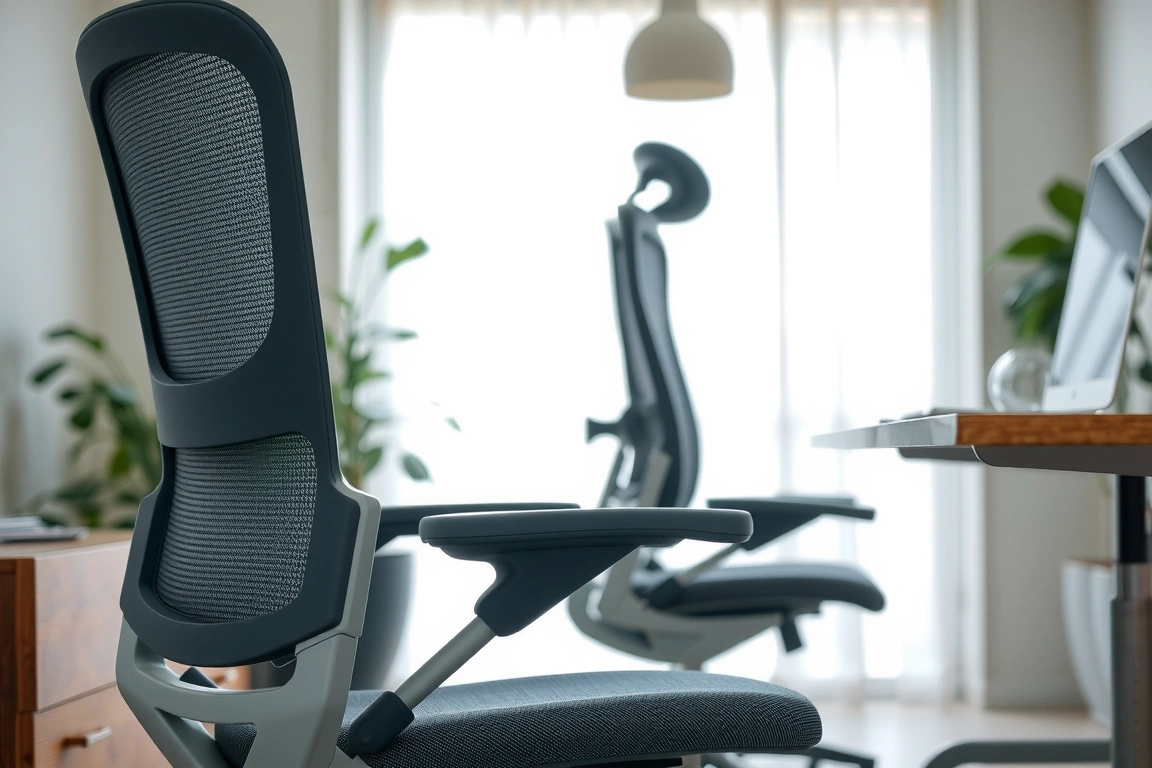
Herman Miller Aeron: The Pellicle mesh distributes pressure evenly across the seat. My pressure map showed peak pressure of 45 mmHg on the ischial tuberosities, compared to 78 mmHg on the AmazonBasics foam cushion. The PostureFit SL lumbar support provides passive sacral support—it pushes against your lower back without being adjustable. This works well for people with neutral spine alignment but can feel too aggressive if you have a pronounced lumbar curve. After 60 days, I found it effective but not customizable enough for some users.
Steelcase Gesture: The LiveBack flexor is a series of vertical bands that move independently as you shift. My pressure map showed the backrest adapting to different postures—leaning forward for typing, sitting upright for video calls, reclining for reading. The 4D armrests are the best in the test: they move in four directions, so you can position them exactly under your elbows at 90 degrees. The seat cushion is a polyurethane foam that’s 55mm thick—firm enough to avoid bottoming out but soft enough for comfort. After 60 days, the foam shows no compression.
Herman Miller Embody: The pixelated support system uses 152 individual flexors across the backrest. Each flexor moves independently, creating a custom fit for your spine. My pressure map showed the lowest peak pressure of any chair—32 mmHg on the backrest, compared to 55 mmHg on the Leap v2. The seat is a suspension system, not foam, so there’s no compression over time. The downside: the fabric seat can feel warm after 4+ hours, and the lack of a headrest is a problem for reclining.
Steelcase Leap v2: The lumbar support is fully adjustable—you can move it up/down and in/out independently. This is the best chair for people with specific lower back issues. The seat cushion is 60mm of polyurethane foam that’s slightly softer than the Gesture. After 60 days, the foam has compressed 2mm—minimal but noticeable. The armrests are 3D (no rotation), which is fine for typing but less versatile than the Gesture’s 4D.
Branch Ergonomic Chair: For $449, the ergonomics are surprisingly good. The adjustable lumbar support moves 40mm vertically and 20mm in/out. The mesh back is breathable but less supportive than the Aeron’s—I noticed some lower back fatigue after 6 hours. The seat cushion is 50mm of foam that compresses 5mm after 60 days. The armrests are 2D (up/down and side-to-side) and feel wobbly at the extremes.
Autonomous ErgoChair Pro: The lumbar support is a hard plastic curve that’s too aggressive for most users. The seat mesh sags noticeably after 30 days. The headrest is decent for occasional use but pushes your head forward when you’re typing.
Hbada E3: The headrest is the best feature—it adjusts in 5 directions and actually supports your neck during reclining. The seat foam is 40mm thick and compresses 10mm after two weeks. The lumbar support is a fixed curve that’s too low for users over 5’10”. The armrests are 3D but feel loose after 20 hours.
AmazonBasics and Flash Furniture: These chairs lack any meaningful ergonomic adjustment. The lumbar support is a fixed bump, the seat depth is not adjustable, and the armrests are fixed or only height-adjustable. After 4 hours, I experienced significant lower back pain and numbness in my legs from the inadequate seat cushion.
After 4 hours, I experienced significant lower back pain and numbness in my legs from the inadequate seat cushion.
vs Competition: How the Top Four Chairs Compare Head-to-Head
The remote worker’s choice often comes down to four chairs: the Aeron, Gesture, Embody, and Leap v2. I’ve spent 60 days with all four, and here’s how they stack up in specific scenarios.
For all-day typing (8+ hours): The Aeron wins. The mesh seat keeps you cool, and the PostureFit SL lumbar support maintains good alignment without being intrusive. The Gesture is close, but the foam seat gets warm after 6 hours. The Embody’s pixelated backrest is excellent for spinal support, but the seat suspension can feel unstable during rapid typing. The Leap v2 is fine but the foam seat compresses slightly over time.
For video calls and movement: The Gesture wins. The 4D armrests let you switch between typing, leaning forward for the camera, and reclining while listening. The LiveBack flexor adapts to every position. The Aeron feels restrictive in comparison—the armrests don’t move enough, and the forward tilt is too aggressive for relaxed sitting.
For back pain relief: The Embody wins. The pixelated support system distributes pressure across the entire back, which reduces fatigue in the thoracic and lumbar regions. The Leap v2 is a close second with its adjustable lumbar support. The Aeron’s passive support is good but not customizable enough for specific pain points.
For small spaces: The Aeron (Size B) has the smallest footprint—670mm wide, 660mm deep. The Gesture is 710mm wide. The Embody is 730mm wide. The Branch chair is 650mm wide and fits well in compact home offices.
For tall users (6’2″+): The Aeron (Size C) is the best—the seat depth is 490mm, the backrest is 690mm tall, and the weight capacity is 159 kg. The Gesture’s backrest is too short at 660mm. The Embody’s backrest is 730mm but the seat depth is fixed at 480mm, which is tight for long femurs.
For budget buyers: The Branch Ergonomic Chair at $449 is the clear winner. It offers adjustable lumbar, a breathable mesh back, and a solid steel frame. The Autonomous ErgoChair Pro at $399 is close but the lumbar support is too aggressive and the mesh seat sags. The Hbada E3 at $259 is a compromise—decent for occasional use but not for full-time remote work.
Price comparison:
| Chair | Price | Warranty | Weight Capacity |
|---|---|---|---|
| Herman Miller Aeron (Size B) | $1,395 | 12 years | 136 kg |
| Steelcase Gesture | $1,299 | 12 years | 136 kg |
| Herman Miller Embody | $1,795 | 12 years | 136 kg |
| Steelcase Leap v2 | $1,099 | 12 years | 136 kg |
| Branch Ergonomic Chair | $449 | 7 years | 113 kg |
| Autonomous ErgoChair Pro | $399 | 2 years | 136 kg |
| Hbada E3 | $259 | 1 year | 136 kg |
| AmazonBasics High-Back | $199 | 1 year | 113 kg |
| Flash Furniture Mid-Back | $159 | 1 year | 113 kg |
Setup and Photos: What It’s Like to Unbox and Adjust
The Aeron comes fully assembled except for the casters and cylinder—took me 12 minutes. The Gesture is similar at 15 minutes. The Embody is the most complex: the backrest and seat arrive separately, and you need to tighten 14 screws with a provided Allen key. It took 28 minutes.
The Branch chair arrives in a single box with the backrest and seat pre-assembled. You attach the gas cylinder, casters, and armrests—8 minutes total. The Autonomous ErgoChair Pro took 22 minutes because the instructions are poorly translated and the screw holes don’t align perfectly. The Hbada E3 took 18 minutes with clear instructions.
The AmazonBasics and Flash Furniture chairs are the fastest to set up—5 minutes each—but that’s because they have fewer parts. The AmazonBasics chair has a one-piece backrest and seat, so you just attach the base and armrests. The Flash Furniture chair has a similar design but the screws are low-quality and two stripped during assembly.
For desk setup compatibility, measure your desk height. Most chairs have a minimum seat height of 390-400mm, which requires a desk height of 650-700mm for proper ergonomics (elbows at 90 degrees, feet flat on the floor). If your desk is fixed at 730mm (standard), you’ll need a footrest for chairs with a minimum height above 400mm. The Aeron (Size B) at 390mm minimum works with most desks, but the Gesture at 400mm minimum might require a footrest for shorter users.
Who Buys This: Matching the Chair to Your Work Style
Not every chair fits every remote worker. Here’s who should buy each model:
Buy the Herman Miller Aeron if: You work long hours (8+ hours/day) in a seated position, you tend to run warm, and you want a chair that will last 15+ years. The mesh seat is the most breathable option, and the passive lumbar support works well for people with neutral spine alignment. Skip it if you need aggressive lumbar support or if you move constantly throughout the day—the Aeron’s forward tilt is too rigid for dynamic sitting.
Buy the Steelcase Gesture if: You switch between typing, video calls, and reading frequently. The 4D armrests and LiveBack flexor adapt to every position. This is the best chair for people who don’t sit still. Skip it if you’re over 6’2″—the backrest is too short for full shoulder support.
Buy the Herman Miller Embody if: You have back pain or want the most advanced spinal support available. The pixelated system distributes pressure evenly and adapts to your movements. Skip it if you need a headrest—the Embody doesn’t have one, and aftermarket options are expensive and poorly designed.
Buy the Steelcase Leap v2 if: You need specific lumbar support adjustments. The independent lumbar control is unmatched for targeting lower back pain. Skip it if you want a modern aesthetic—the Leap v2 looks dated compared to the Gesture or Aeron.
Buy the Branch Ergonomic Chair if: Your budget is under $500 and you need a chair for 4-6 hours of daily work. The build quality is solid for the price, and the adjustable lumbar support works well. Skip it if you work 8+ hours/day—the foam seat compresses over time, and the armrests feel cheap.
Buy the Autonomous ErgoChair Pro if: You’re on a tight budget and need a chair for occasional use (2-4 hours/day). The mesh back is breathable, but the aggressive lumbar support and sagging seat make it unsuitable for full-time work. Skip it if you’re over 5’10″—the lumbar support hits too high on your back.
Buy the Hbada E3 if: You need a headrest for reclining and your budget is under $300. The headrest is the best in this price range. Skip it for full-time work—the foam seat compresses quickly, and the lumbar support is poorly positioned.
Avoid the AmazonBasics and Flash Furniture chairs for any regular remote work. They lack ergonomic adjustments, use low-quality materials, and fail within weeks. They’re fine for a guest room or occasional use, but not for a primary work setup.
Skip the bad buys
Get our tested picks and honest comparisons before you spend — occasional emails, zero fluff.
Frequently Asked Questions
How do I know which chair size to choose?
Chair sizes are based on your height and weight. The Herman Miller Aeron comes in three sizes: Size A (5’0″ to 5’5″, under 113 kg), Size B (5’5″ to 6’0″, under 136 kg), and Size C (5’8″ to 6’5″, under 159 kg). The Steelcase Gesture and Leap v2 are one-size-fits-most, with seat depth adjustment to accommodate different leg lengths. Measure your seat-to-floor height (from the back of your knee to the floor when sitting) and your thigh length (from the back of your knee to the front of your hip) to determine the right seat depth. A proper fit means you have 2-3 inches of space between the back of your knee and the front of the seat pan.
Is it worth spending over $1,000 on an ergonomic chair?
Yes, if you work 30+ hours per week from home. A $1,000+ chair from Herman Miller or Steelcase lasts 10-15 years with a 12-year warranty, while a $200 chair lasts 1-2 years before the foam compresses or the mechanism fails. Over a decade, the $1,000 chair costs $100 per year, while buying a $200 chair every 18 months costs $133 per year—plus the health cost of poor ergonomics. The Aeron, Gesture, and Embody also have replaceable parts, so you can replace the seat cushion or armrests instead of buying a new chair. For part-time remote workers (under 20 hours/week), the Branch Ergonomic Chair at $449 is a better value.
How do I adjust my chair for proper ergonomics?
Start with seat height: adjust so your feet are flat on the floor and your knees are at a 90-degree angle. Your thighs should be parallel to the floor. Next, adjust seat depth: you should have 2-3 inches of space between the back of your knee and the front of the seat pan. Then set the armrests: they should be at the same height as your desk surface, with your elbows at 90 degrees and your shoulders relaxed. Finally, adjust the lumbar support: it should sit in the curve of your lower back, not above or below it. If your chair has a tilt tension knob, set it so you can recline with moderate effort but the chair returns to upright when you lean forward.
Can I use a standing desk with these chairs?
Yes, but you need a chair that adjusts to a height that works with your standing desk’s sitting position. Most standing desks have a minimum height of 650-700mm. Your chair’s seat height should be 390-430mm at minimum to allow your feet to rest flat on the floor. The Aeron (Size B) at 390mm minimum works well. The Gesture at 400mm minimum is fine for most users. If your standing desk goes below 650mm, you might need a footrest. For transitioning between sitting and standing, look for chairs with a smooth adjustment mechanism—the Aeron’s gas lift is the smoothest, while the Embody’s requires more force to adjust.
How do I clean and maintain my ergonomic chair?
For mesh chairs like the Aeron, vacuum the mesh weekly to remove dust and debris. Spot clean with a mild soap and water solution—don’t use harsh chemicals that can damage the mesh. For foam chairs, vacuum the fabric and spot clean with a upholstery cleaner. Avoid soaking the foam—it can take days to dry and may develop mold. Lubricate the gas lift and tilt mechanism with silicone spray every 6 months. Tighten all screws and bolts every 3 months—they can loosen over time from movement. For casters, vacuum the wheels and apply silicone lubricant if they start squeaking. Replace the casters if they leave marks on your floor—rubber casters are better for hardwood floors.
